Rez Tunnel VPN is a free VPN application for mobile made by Techoragon Devs. This security and privacy service focuses on simplicity and ease of use and aims to make it easy for any user to protect their online activity with the use of tunneling protocols to reroute their traffic.
Similar to TunnelBear or TLS Tunnel, Rez Tunnel VPN was created with safe online browsing in mind. Through its easy one-tap operation, anyone can mask their presence and ensure that no one will be able to track their location or get hold of their activity records on the internet.
Browse with peace of mind
Whether it's for work, keeping up with news, or everything else in between, a lot of people spend their time online. With that, some concerns over privacy and security arise. There are various feature-packed VPN solutions available in the market today for different uses. If you're the type of user who only needs protection for web browsing, then Rez Tunnel VPN can help.
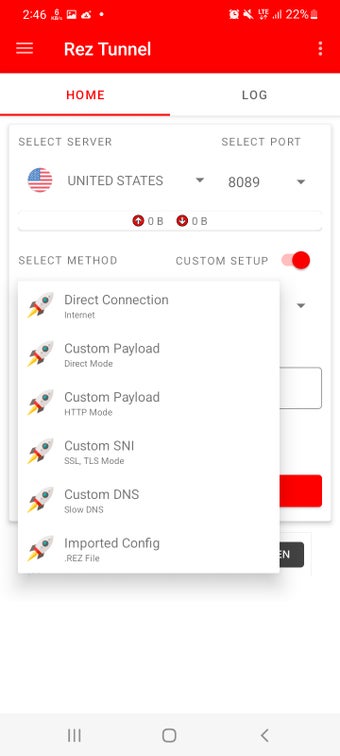
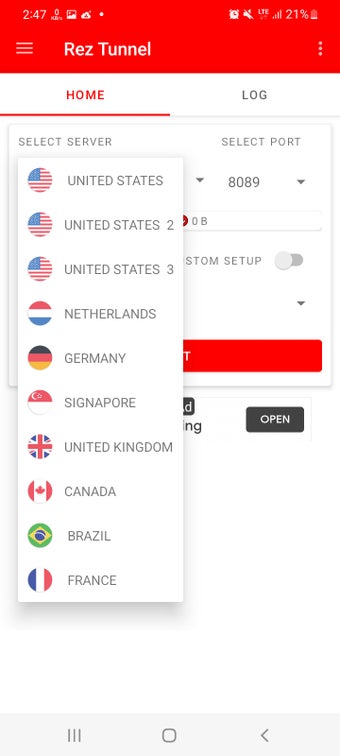
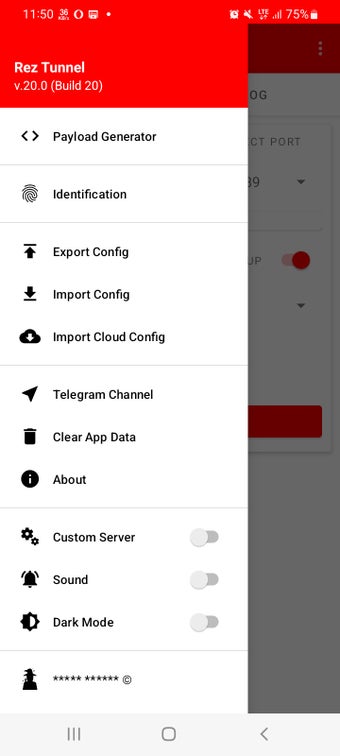
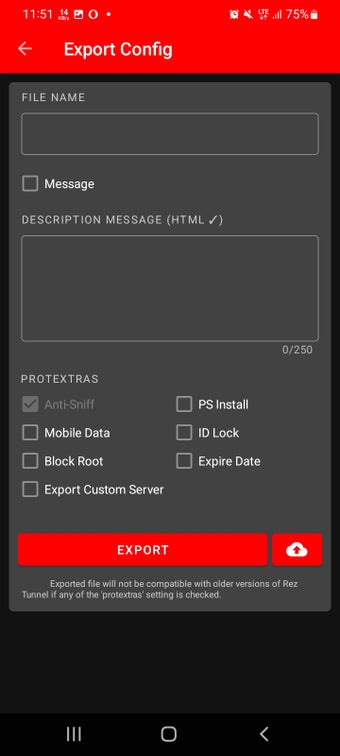
This VPN utilizes tunneling to help protect your online activity through SSL, HTTP, and SSH protocols. Getting started is easy with one-tap operation that lets the app automatically configure everything for you. You still get advanced options if you want to manually configure things like server, port number, tunneling method, and more. You can even import config files into the app.
Other notable features include an app filter to prevent certain applications from accessing the web, a DNS changer if you're having trouble reaching some websites, and data compression when you're on a cellular connection. When it comes to actual use, though, performance leaves a lot to be desired. Connection speeds are good, but stability is unreliable and inconsistent, which often results in frequent disconnections.
Could be better
All in all, Rez Tunnel VPN is a simple and intuitive VPN that focuses on keeping your web browsing safe and anonymous with its use of various tunneling protocols. In practice, though, the experience is far from ideal given its connection reliability issues. Until the service improves on this aspect, there are other options you can consider in the meantime.
Before downloading, you can take a quick look at the permissions this app may request on your device. App permissions allow certain features to work properly, such as accessing your camera to take photos, your location for maps, or your storage to save files.
In this section, you’ll find a clear and simple overview of the types of permissions the app uses, grouped by their level of sensitivity, along with a visual breakdown to help you understand them at a glance. This way, you can see how the app interacts with your device and decide to download with confidence.
Permissions types
Standard
78%
Sensitive
22%
Permissions distribution
Privacy
33%
Data collected
33%
Data shared
33%
Data safety info
Privacy
3 permissions
Permissions that allow the app to access personal or sensitive information stored on your device, such as location, contacts, camera, or microphone.
android.permission.FOREGROUND_SERVICE
Standard
android.permission.WAKE_LOCK
Standard
android.permission.RECEIVE_BOOT_COMPLETED
Standard
Data collected
3 permissions
Information the app may gather from your device or usage activity to enable features, personalize content, and improve overall performance.
android.permission.ACCESS_NETWORK_STATE
Standard
android.permission.ACCESS_WIFI_STATE
Standard
android.permission.READ_EXTERNAL_STORAGE
Sensitive
Data shared
3 permissions
Information that may be shared with trusted third parties to provide services, support app functionality, or deliver relevant content.
android.permission.INTERNET
Standard
android.permission.CHANGE_NETWORK_STATE
Standard
android.permission.WRITE_EXTERNAL_STORAGE
Sensitive
This report summarises the permissions declared by the app at the time of scanning and groups them into Privacy, Data collected and Data shared. A declared permission shows what the app can access, it does not necessarily mean personal data is collected or transmitted. For full details check the app’s privacy policy and the developer’s clarifications shown below. Softonic generates this report automatically from the package metadata; it is informational and not a substitute for a full security or privacy audit.
Laws concerning the use of this software vary from country to country. We do not encourage or condone the use of this program if it is in violation of these laws. The regulation about the use of VPN services varies per country; If the Law of your country forbids or limits its usage, don’t download. Any unlawful behaviour of this software is not permitted. You are solely responsible for any use of the service. Softonic may receive a referral fee if you click or buy any of the products featured here.